Text Button Plugin For RPG MAKER MZ
A downloadable mod
Description
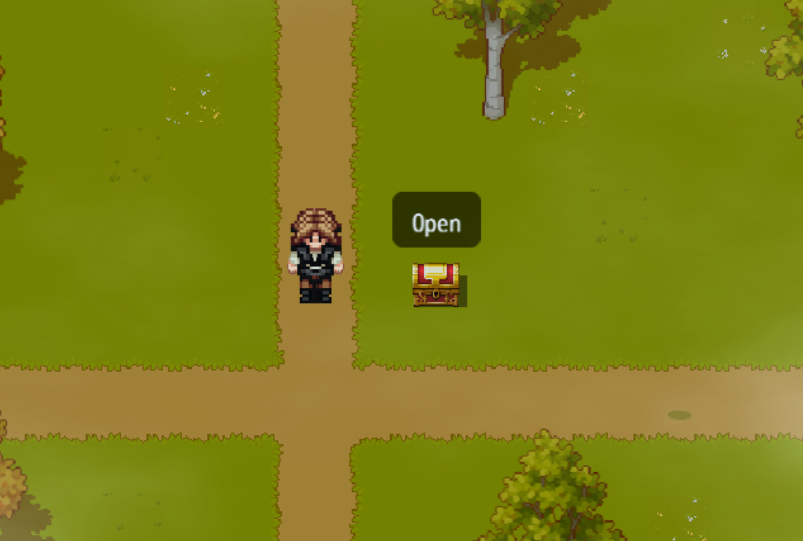
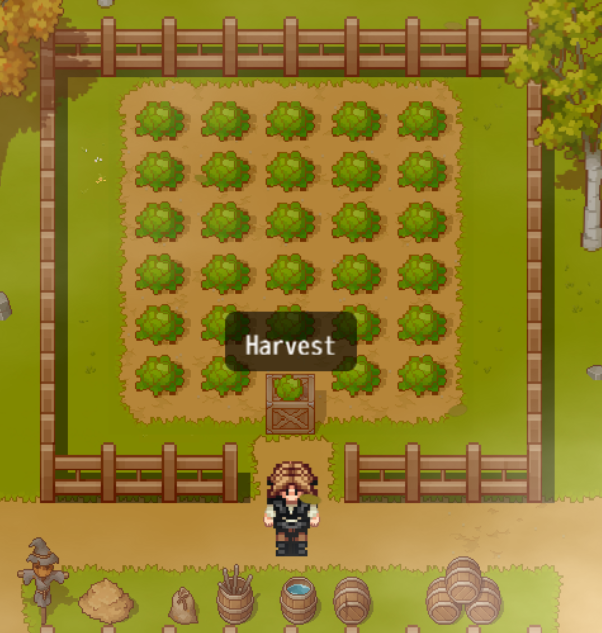
This plugin displays a small text button above map events.
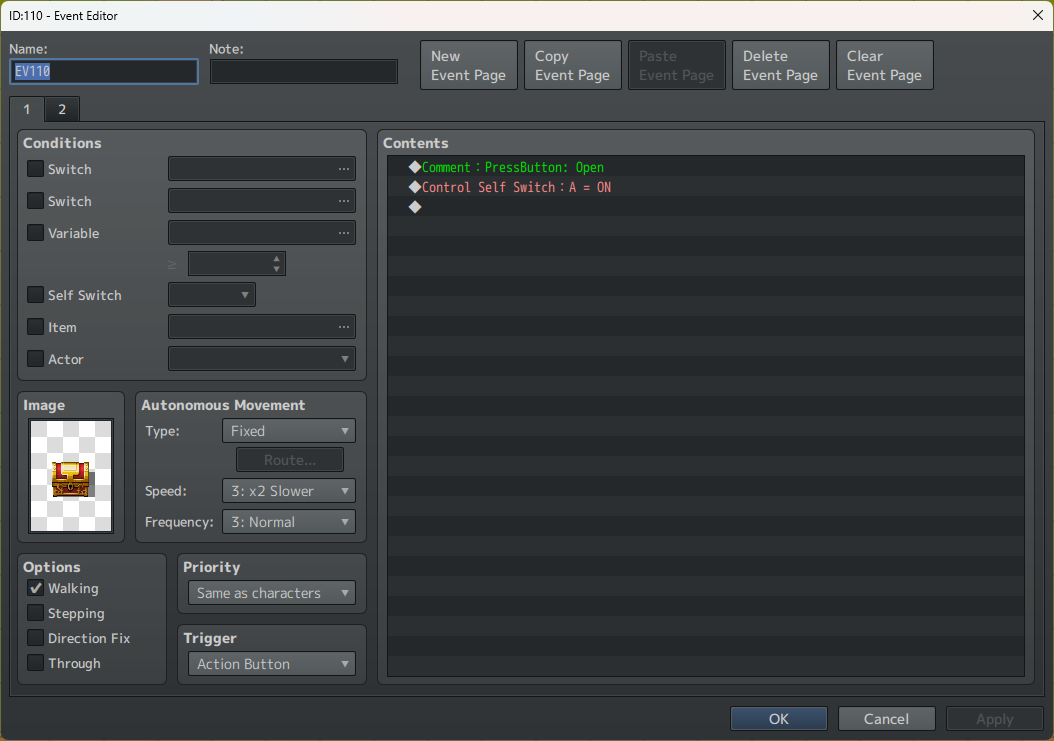
The button text is defined using the Comment event command.
The button is shown when the player is within a specified tile distance, regardless of the event trigger type (Action Button, Player Touch, Autorun, Parallel, etc.).
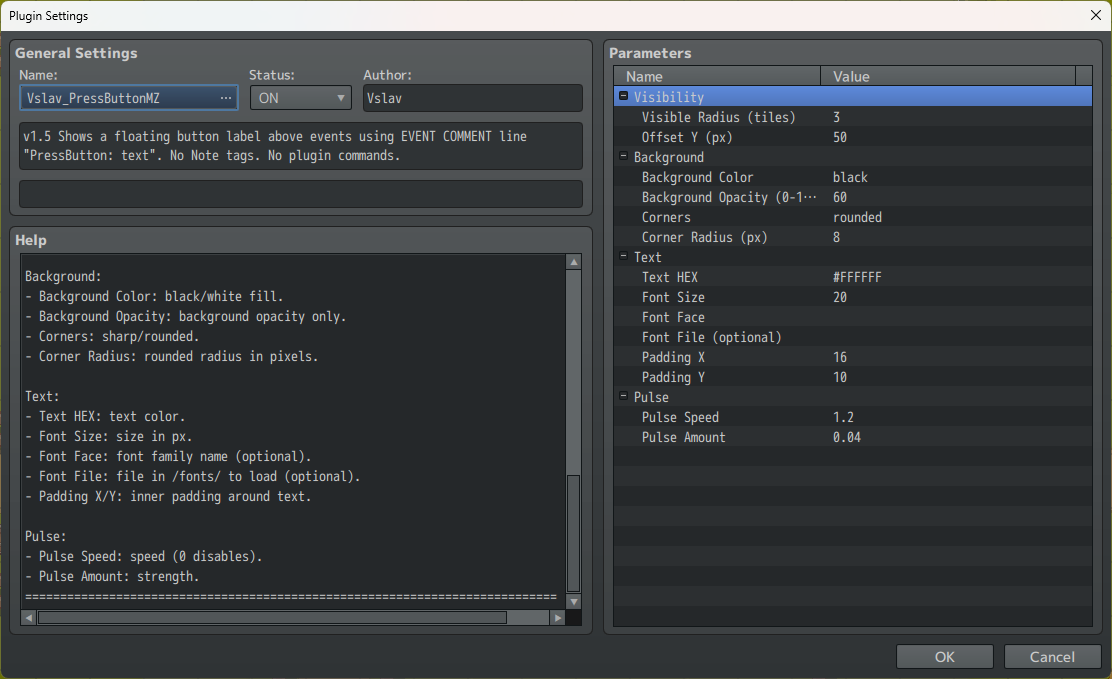
All visual settings (background color, opacity, corner style, font, text size) are configured through plugin parameters.
Text outline and shadow are completely disabled.
How to Use
1. Installation
-
Copy
Vslav_PressButtonMZ.jsinto:
js/plugins/
-
Enable the plugin in Plugin Manager.
2. Setting Button Text
-
Open an event.
-
Add an event command Comment.
-
Write the following line:
PressButton: Button Text
Example:
PressButton: Open
-
The comment can be placed anywhere in the event command list.
-
The first matching
PressButton:line on the active event page is used. -
Event Note is not used.
3. Display Rules
-
The button appears when the player is within the distance defined by Visible Radius (tiles).
-
The button is shown regardless of the event trigger type.
-
When the active event page changes, the button text updates automatically.
Custom Font Support
-
Place your font file (
.ttfor.otf) into:
/fonts/
-
In plugin parameters:
-
Font Face — font family name
-
Font File — font file name (e.g.
MyFont.ttf)
If no font is specified, the game’s default font is used.
Plugin Parameters
Visibility
-
Visible Radius (tiles) — distance in tiles at which the button is visible.
-
Offset Y (px) — vertical offset above the event.
Background
-
Background Color — background fill color (
blackorwhite). -
Background Opacity — background transparency (0–100).
-
Corners — corner type (
sharporrounded). -
Corner Radius — rounded corner radius in pixels.
Text
-
Text HEX — text color in HEX format (
#RGBor#RRGGBB). -
Font Size — text size in pixels.
-
Font Face — font family name (optional).
-
Font File — font file located in
/fonts/(optional). -
Padding X / Padding Y — inner padding around the text.
Pulse
-
Pulse Speed — pulsing speed (0 disables pulsing).
-
Pulse Amount — pulsing strength (scale amount).
Notes
-
Opacity affects background only; text is always drawn fully opaque.
-
Text outline and shadow are completely disabled.
-
The plugin does not use Plugin Commands.
-
The plugin does not interfere with event Notes or other plugins using comments.
Purchase
In order to download this mod you must purchase it at or above the minimum price of $1 USD. You will get access to the following files:
Leave a comment
Log in with itch.io to leave a comment.